Network Categories
Network Categories
This tab allows you to manage Network Categories used to organize and tag different network configurations within your infrastructure.
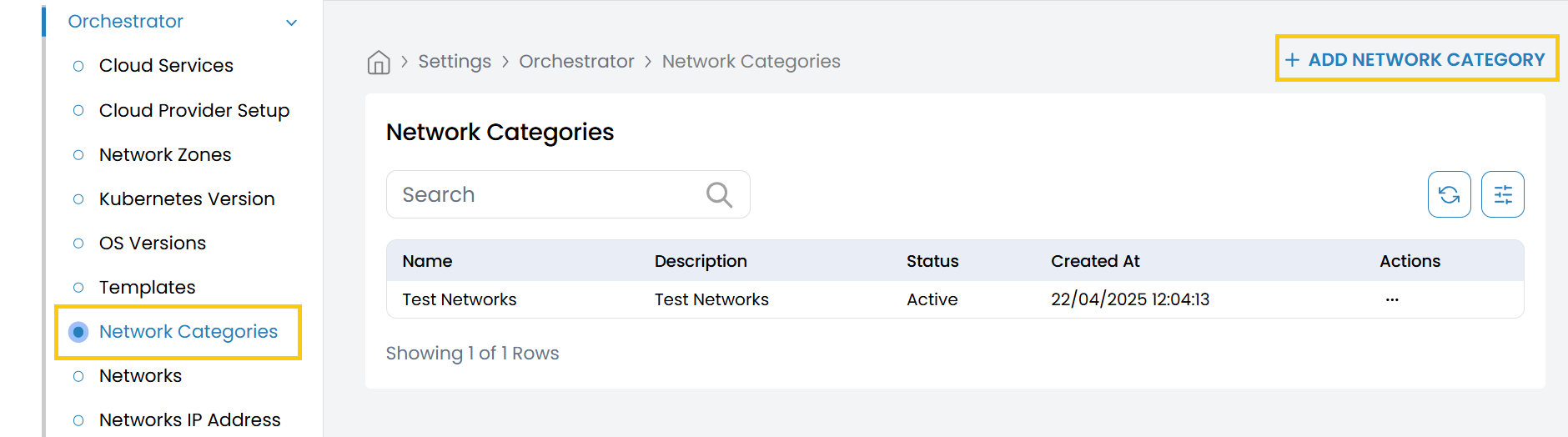
- From the left-hand side of the page under the Orchestrator section, click on Network Categories to view the list of existing categories.
- To add a new network category, click on Add Network Category.
- Name: Enter a unique name for the network category (e.g.,
Internal,Public,DMZ). - Description: Provide a brief description of the network category.
- Status: Select the operational status of the category:
- Active – Enables the category for use in configurations.
- Inactive – Disables the category without deleting it.
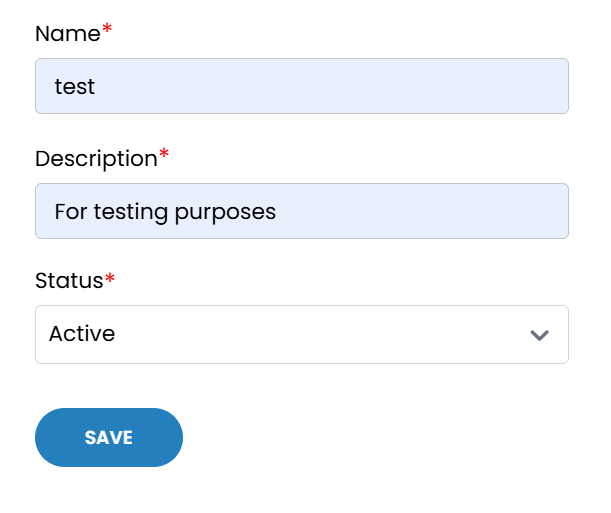
- Click on Save to create and store the network category. It will now be available for selection in network-related configurations.